
Marker for Creators introduces a new iPhone Duo workflow
Fast, intuitive take logging on iPhone Duo, designed to save hours in video post-production.
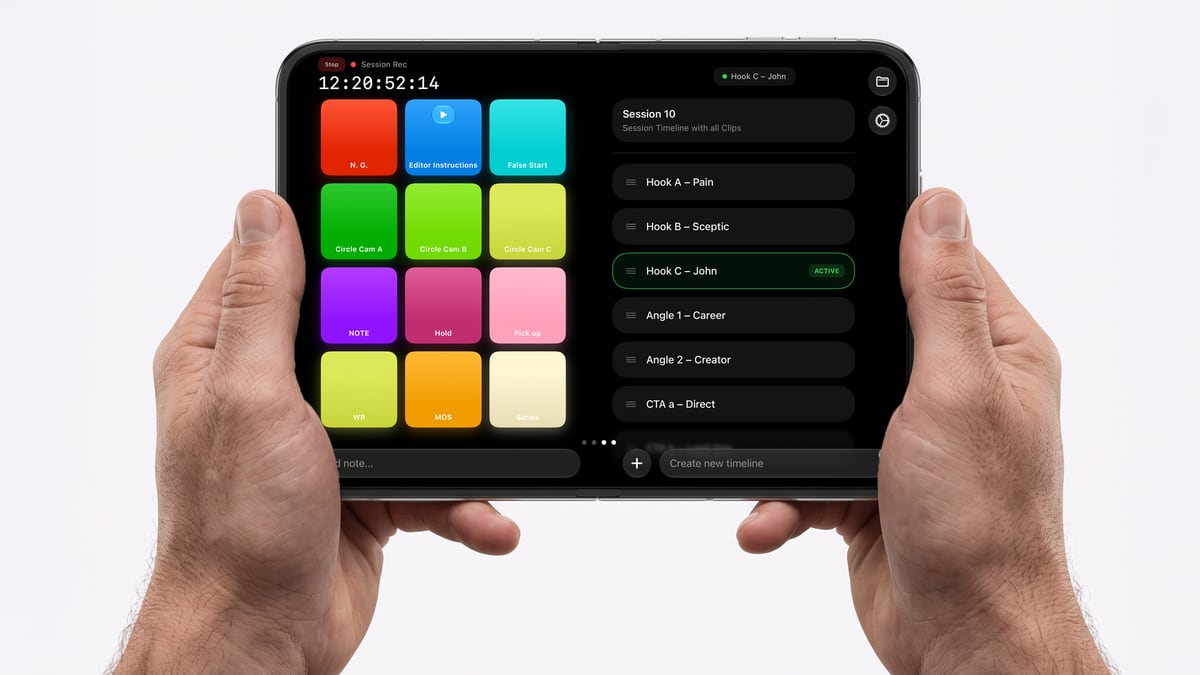
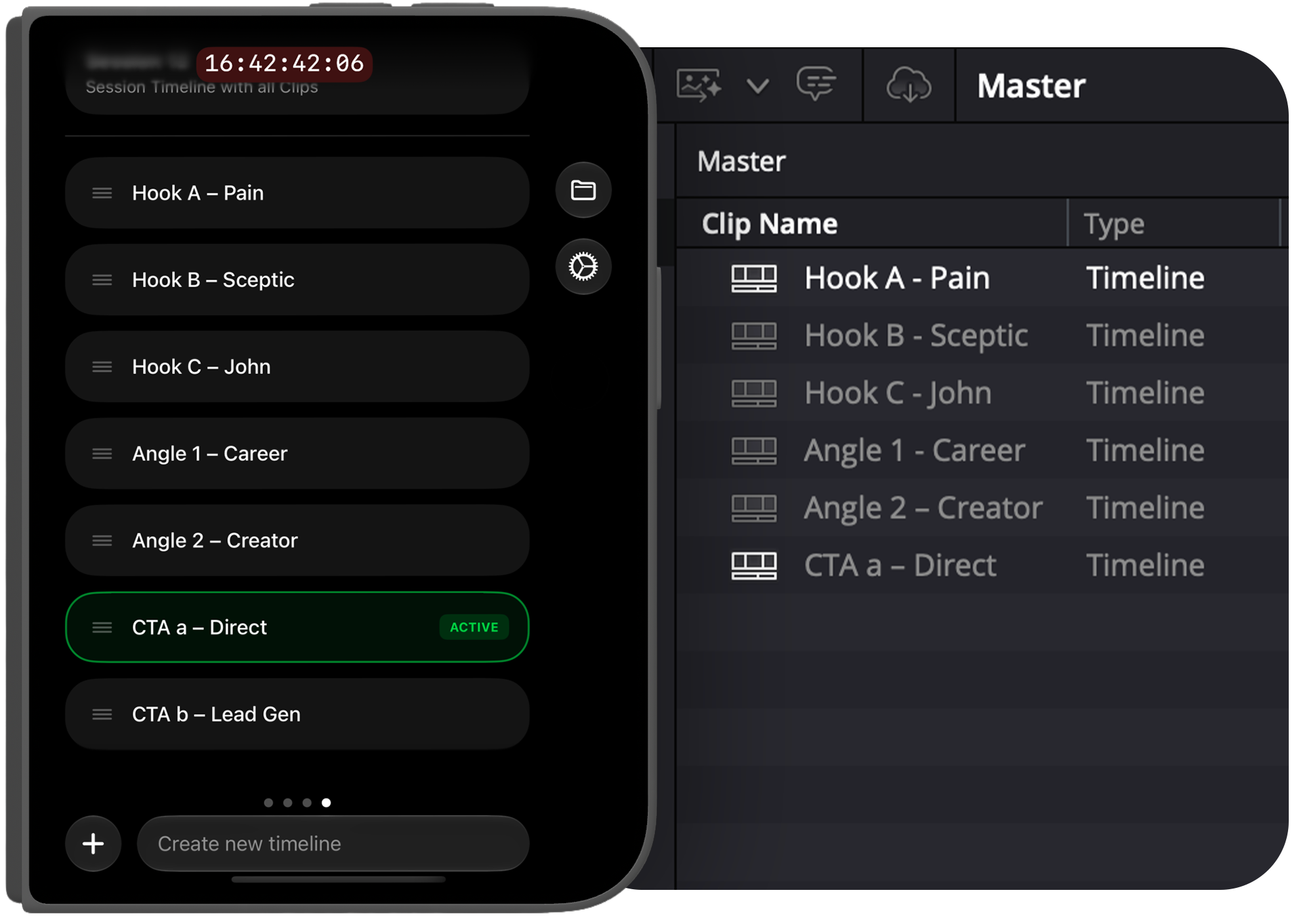
With iPhone Duo, Marker introduces an entirely new experience for filmmakers: quick marking on the outside, and a complete logging workspace the moment the device opens.
Marker takes full advantage of iPhone Duo's two displays, giving filmmakers more of their workflow at once without changing the way the app feels.
Built for the people who move filmmaking forward
Marker users are often among the first to adopt new cameras, new production workflows and new technology.
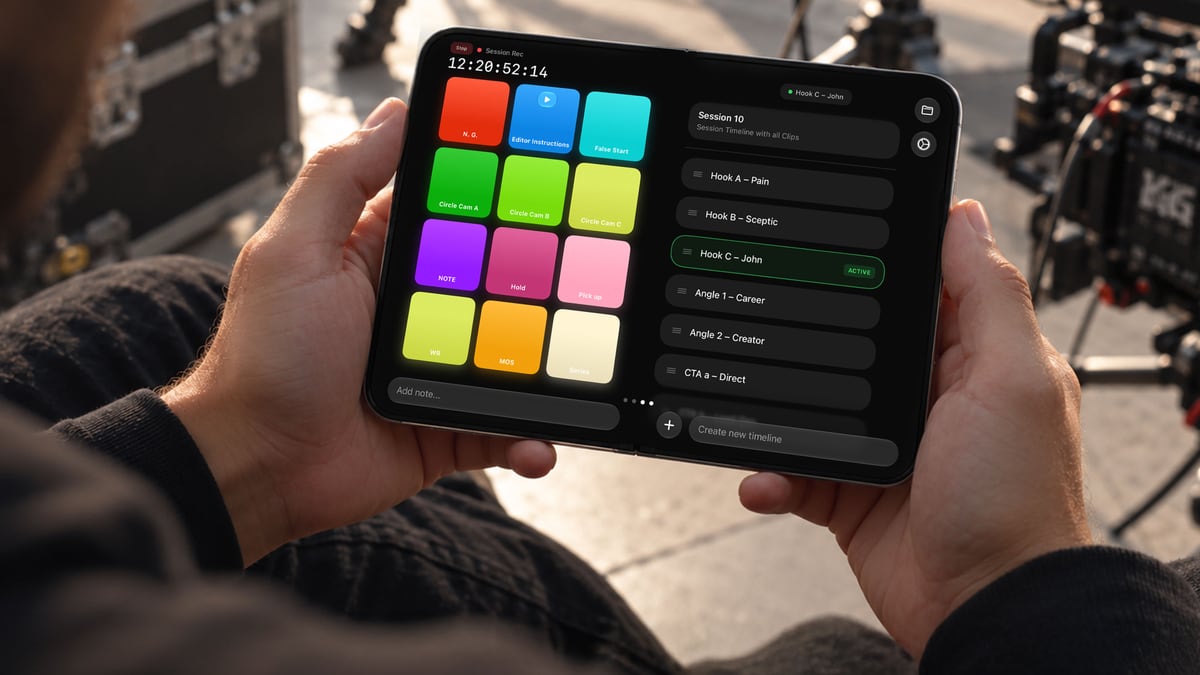
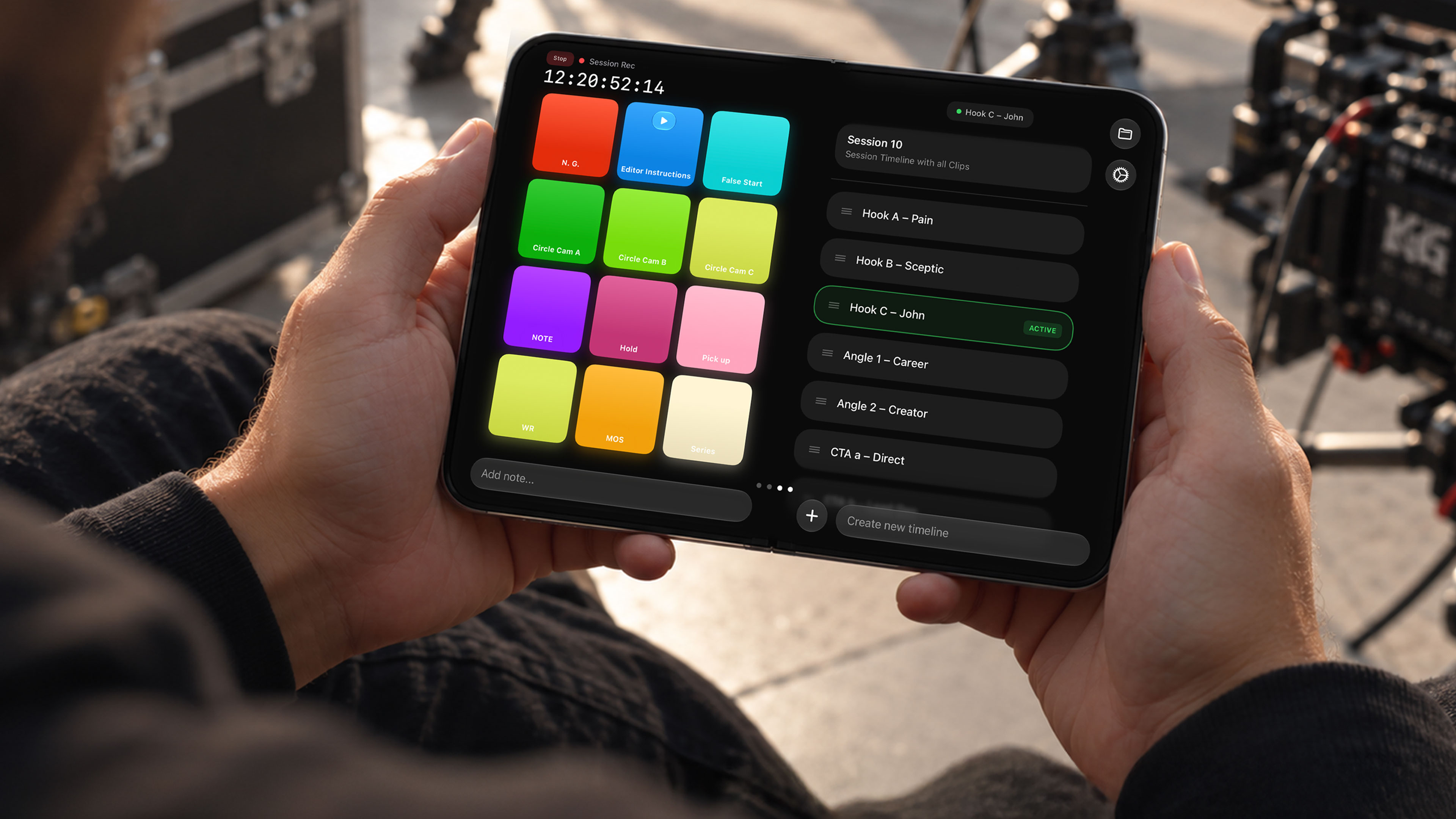
Marker is designed around a simple, flexible interface that keeps the tools filmmakers need right where they need them. Opening Dup you now have two Marker pages side by side, allowing you to mark moments and create timelines all in one view.
The new form factor gives that interface more room to work.
To make that work across every configuration of iPhone Duo, we rebuilt Marker's interface architecture to be fully responsive. Every element now adapts fluidly to the space available, from quick marking on the outer display to the complete two-page workspace inside.
Controls stay where they belong. Important information remains visible. And as the available space changes, Marker adjusts naturally around the workflow.
The result is an experience purpose-built for iPhone Duo that still feels unmistakably like Marker for Creators.
A more flexible experience on iPad
The same responsive foundation extends to Marker on iPad. With the latest iPadOS windowing system, Marker adapts continuously as its window changes size, from a full-screen logging workspace to a compact floating window and everything in between.
One foundation, built to move across devices.
A rebuilt Companion for Mac and PC
The iPhone Duo release arrives alongside a major update to Marker for Creators Companion for Mac and PC.
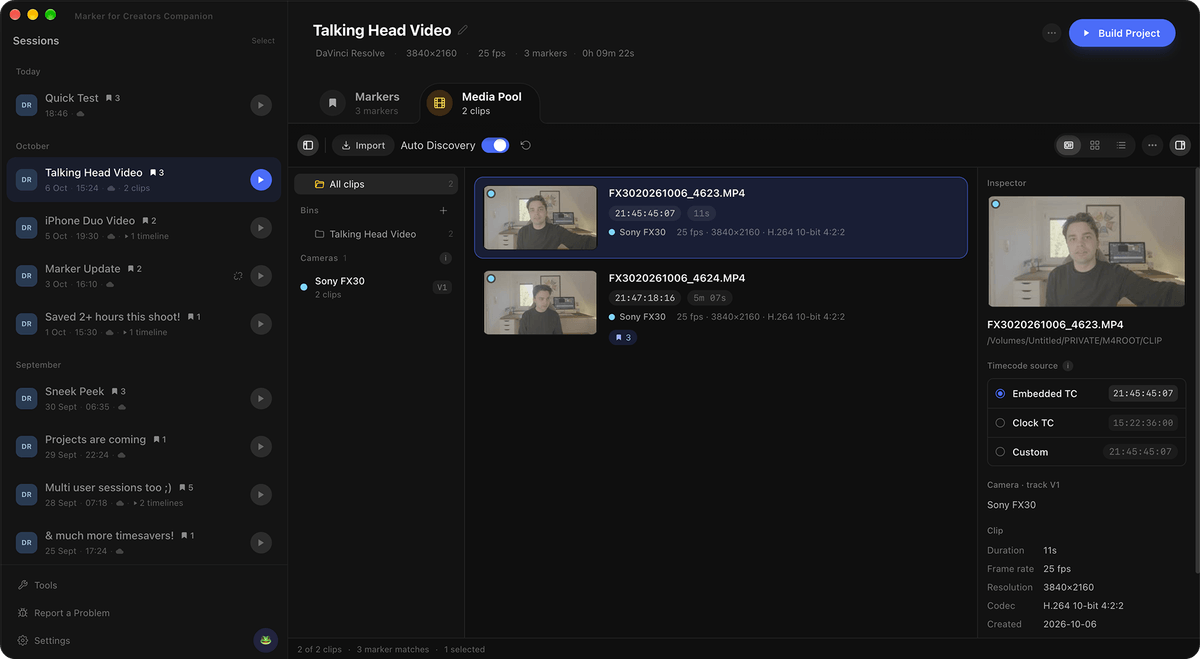
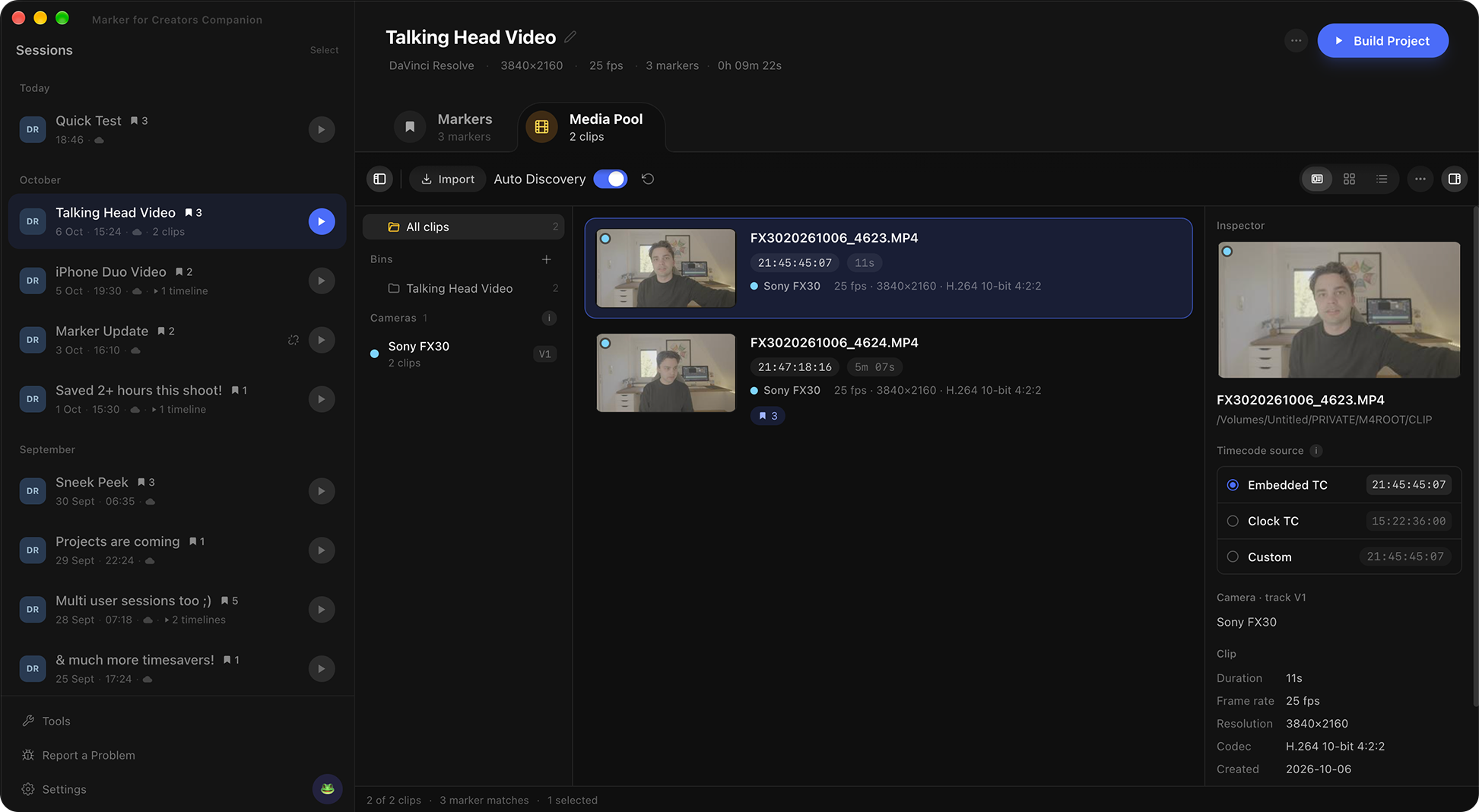
A completely rebuilt Media Pool makes footage easier to see and organize, with clip thumbnails, flexible bins and automatic camera detection for multicam productions.
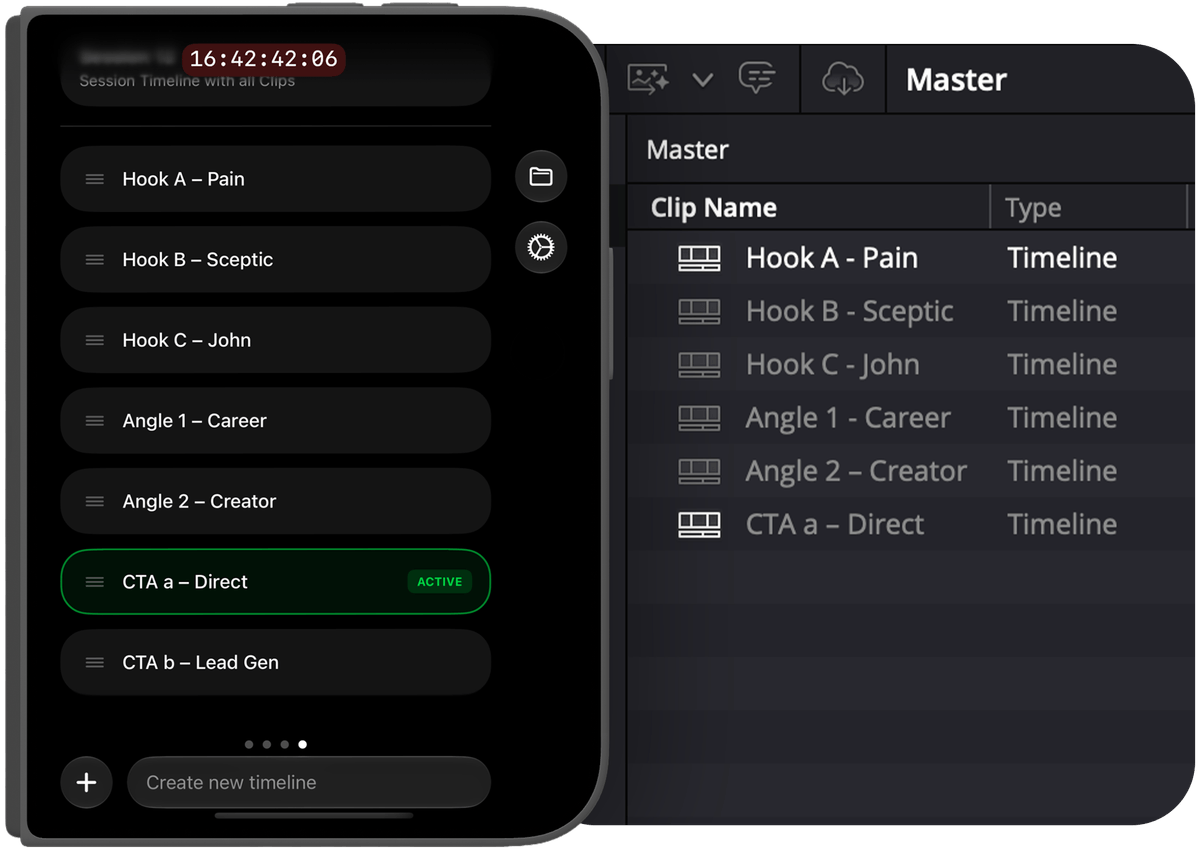
Once footage is connected, the Companion imports the markers and timelines created during production directly into DaVinci Resolve, Adobe Premiere Pro and Final Cut Pro. With one click, a complete project is ready in seconds.
That means less time organizing footage and searching for takes, and more time actually editing.
Making the rough cut dramatically faster
For sports videographer Joshua Schwarz, Marker has dramatically shortened the editing process.
“Editing a game used to take me 2 hours. Now I'm done in 30 minutes. Absolute game changer.”
Joshua Schwarz, sports videographer
By marking takes while shooting directly into the post-production timeline, Marker reduces the time videographers and filmmakers spend scrubbing through footage during the rough cut. That leaves more time for the creative decisions that shape the final film.
Marker for Creators on iPhone Duo is available beginning today on the App Store.
- Full textPlain text, ready to paste
- Images and videosOriginal files as ZIP Download all
Press contact
Marker for Creators